What is Brains Copilot
Brains Copilot brings together a closed catalog of 60 selected AI models — Claude, GPT, Gemini, Grok, DeepSeek and more. Your plan determines which ones appear in the picker, with no custom IDs.
Why use it
- One subscription, every model — no paying for Claude, ChatGPT and Gemini separately.
- Images, PDF and voice — send files, generate images and talk with the mic.
- 370+ skills — specialist agents (legal, dev, data, marketing…).
- In the browser, VS Code or the terminal — use it on the site, in the extension or via the CLI.
The Free plan needs no card: 25 messages a day with fast models.
Where each thing is
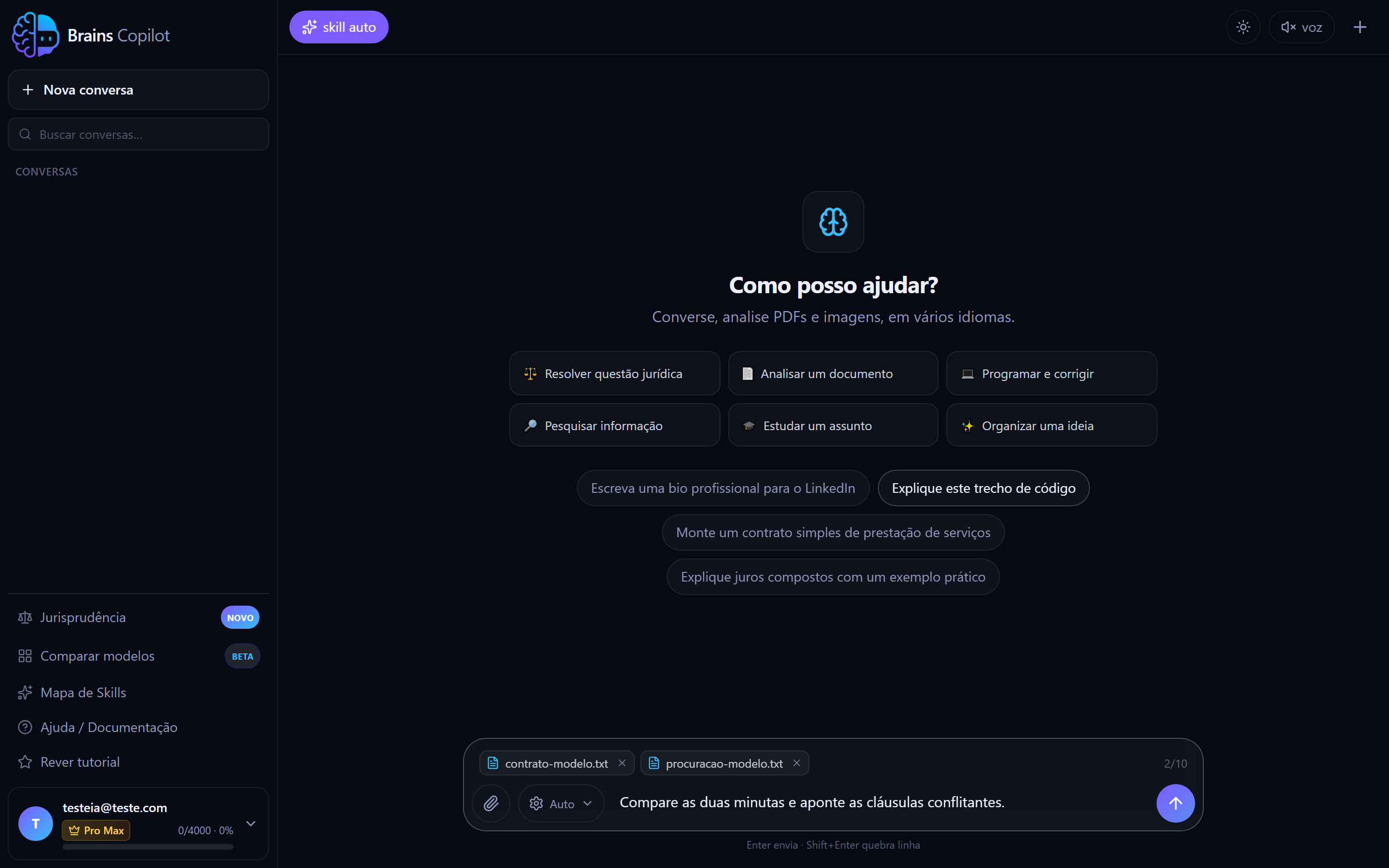
- 1Attach: PDF, image, spreadsheet or text. Free 1 per message, Pro 5, Pro Max 10.
- 2Switch model without leaving the conversation — or leave it on Auto.
- 3Attachment queue: each file shows its name and leaves via the X.
- 4How many attachments are in and how many your plan allows.
- 5Send. Enter sends; Shift+Enter adds a line.
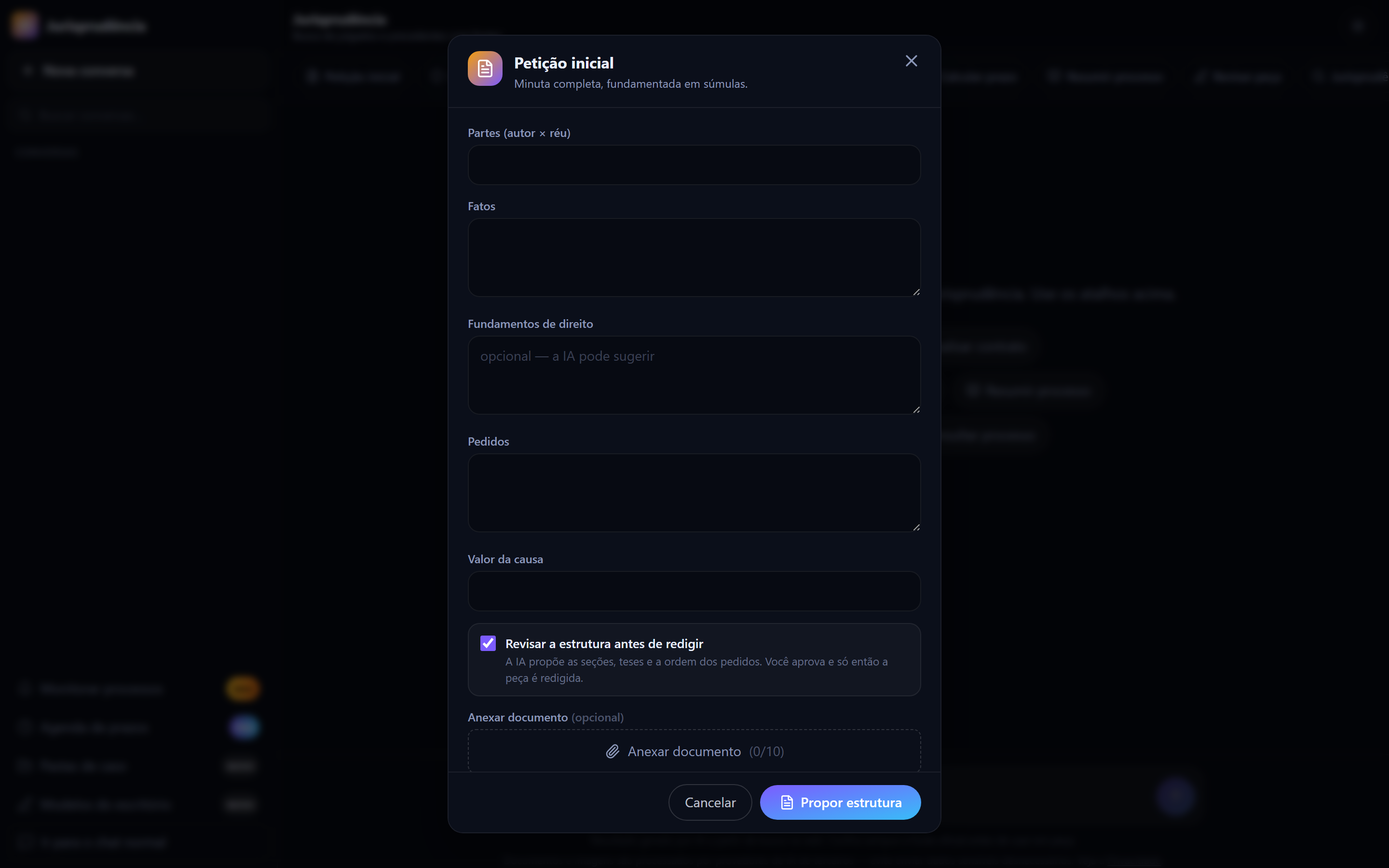
- 1Guided fields: parties, facts, legal grounds, requests and amount.
- 2Review the structure before drafting: the AI proposes the sections, you approve.
- 3Attach the case file or documents — up to your plan's limit.
- 4It starts by proposing the structure; the document is drafted only after you approve.
Quick start
From zero to your first result in under a minute:
- 1Open the chat and create your account with email or Google.
- 2Type your request and press Enter.
- 3The answer appears in real time.
- 4To switch models, open ⚙ Settings in the text field.
The clearer the request, the better the answer. State the format you want (bullets, table, email) and give context.

Ready to use it?
Open the chat